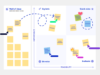
Prepare strategic decisions
Structure brainstorming for complex topics so options are easy to compare and decisions are clear to follow. Outcomes and approvals stay documented on the board for everyone to reference.
Capture ideas as a team, structure them visually, and turn them into clear next steps right away. With Conceptboard, brainstorming becomes the starting point for collaboration, clarity, and continuous execution.



Workshops and meetings generate valuable input. What matters is keeping it visible, agreeing on priorities, and moving forward with clear next steps.
Common challenges:
Conceptboard helps teams capture ideas, structure them, and turn them into actionable work.
Bring your team together for brainstorming. In person or remote.
With Conceptboard you can:
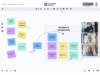
Once ideas are on the board, Conceptboard helps you create clarity around what matters most. Teams can:
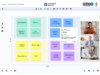
When you’re ready to move forward, the Kanban template helps turn ideas into structured work.
Teams can:
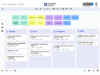
As ideas become projects, the Gantt chart supports planning and coordination.
You can:
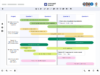
Conceptboard fits into your existing tool stack. For example with Jira.
Teams can:


With Conceptboard, brainstorming continues beyond the session. Beyond creativity.
The board stays active as a shared space where teams can:
So teams keep momentum and deliver progress every day.
Structure brainstorming for complex topics so options are easy to compare and decisions are clear to follow. Outcomes and approvals stay documented on the board for everyone to reference.
Bring input from multiple workstreams into one shared structure to surface priorities and dependencies. This creates clear next steps across everyone involved.
Run cross-organization brainstorming that turns different perspectives into shared requirements and agreements. Decisions and to-dos are captured transparently for all stakeholders.
Structure time-critical brainstorming to organize information quickly and build a shared situational picture. From there, teams can align on actions and set priorities fast.
Structure technical brainstorming so architecture ideas, options, and dependencies are easy to discuss. This speeds up decisions and supports a smoother handover into delivery.

Developing ideas, planning projects, aligning within the team – all of this is just the beginning. What truly matters is structuring tasks clearly and executing them reliably.
With Conceptboard, you can seamlessly connect your collaboration with efficient task management: create tasks directly on the board, organise them visually with Kanban, or plan dependencies using a Gantt chart. All in one place and smoothly integrated with tools like Jira.
Kick off your next session with pre-built templates.
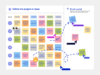
Brainwriting minimizes chit-chat, lets everyone share ideas at once, speeds up the process, reduces social anxiety, and prevents “blocking,” where dominant voices cause others to forget or dismiss their ideas.
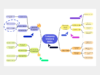
If you’d like to create your own Mind Map template, using a digital template will help you get started. While you can certainly mind map on a blank piece of paper, using an online template provides the benefit of limitless space for your ideas.
An idea prioritization matrix is another great template that helps lend structure to a freewheeling brainstorming session. Ideas are arranged along two axes: feasibility and importance. Plot your ideas within the matrix to decide what ideas need immediate attention and which ones can be looked at later.

With Conceptboard, teams capture ideas and turn them into clear next steps. Then move forward together.
You are currently viewing a placeholder content from Hubspot Embedded Content. To access the actual content, click the button below. Please note that doing so will share data with third-party providers.
More InformationYou are currently viewing a placeholder content from HubSpot. To access the actual content, click the button below. Please note that doing so will share data with third-party providers.
More InformationYou are currently viewing a placeholder content from Hubspot Meetings. To access the actual content, click the button below. Please note that doing so will share data with third-party providers.
More InformationYou need to load content from hCaptcha to submit the form. Please note that doing so will share data with third-party providers.
More InformationYou need to load content from reCAPTCHA to submit the form. Please note that doing so will share data with third-party providers.
More InformationYou are currently viewing a placeholder content from Turnstile. To access the actual content, click the button below. Please note that doing so will share data with third-party providers.
More Information