Make project work visual and clear
Plan, coordinate, and communicate your projects more efficiently: Conceptboard supports you with kick-offs, status meetings, roadmaps, and more. Digital, structured, and easy for everyone to follow.
Plan, coordinate, and communicate your projects more efficiently: Conceptboard supports you with kick-offs, status meetings, roadmaps, and more. Digital, structured, and easy for everyone to follow.



As a project manager or team lead, you know: good planning is more than Excel sheets and Gantt charts. It requires transparency, team involvement, and clear communication. With Conceptboard, you can visualise complex project content, run efficient workshops, and keep everyone aligned even in remote or hybrid settings.
From the first idea to the final lessons learned, Conceptboard gives you the space to think, plan, and decide together. Visual, connected, and always traceable you and your team deliver projects with structure and clarity.
Align all stakeholders from the start with clearly structured project goals, role assignments, and timelines all visualised on the board.
Visually break down your project into work packages and responsibilities. Ideal for effort estimation and team coordination.
Use templates to visually analyze stakeholders, risks, and their impact together with your team.
Create interactive roadmaps that can be updated and shared at any time. No static Gantt charts needed.
Organise tasks by status, priority, or assignee all in one place, clear and accessible for everyone.
Capture insights from sprints or projects in a structured, visual, and always accessible way directly on the board.
Connect Conceptboard with the tools your team already uses. Enjoy smooth workflows and seamless collaboration without switching context.
Start whiteboard sessions directly from Teams, discuss ideas in real time, and keep everyone in the loop. For greater transparency and faster alignment.
Embed files and documents directly into your whiteboard. This way, you have everything in one place and can seamlessly share content with your team.
Integrate your Dropbox content directly into the whiteboard to store files centrally and discuss them with your team in real time.
Access your documents securely and add files directly to the board, no need for time-consuming uploads or downloads.
Embed Conceptboard whiteboards directly into your knowledge base to keep concepts, ideas, and strategies accessible to everyone.
Use Conceptboard seamlessly within your Webex meetings to co-create ideas, capture feedback in real time, and actively engage all participants.

Keep projects on track with a shared view of scope, milestones, risks, and decisions. When it’s time to execute, Conceptboard helps you turn board content into tasks, manage work in Kanban, and keep dependencies visible.

Many teams work in a structured and coordinated way. Tasks are assigned, responsibilities are clear. Yet it often remains unclear where the project actually stands.
Our Transparency Check helps you realistically assess progress and highlights where typical gaps occur.
Plan, coordinate, and document projects so teams can decide faster, spot dependencies early, and keep delivery moving.
Start with shared clarity on goals, scope, roles, and success criteria.
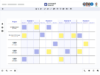
Make work visible, align on priorities, and surface blockers early.
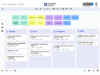
Speed up reviews, consolidate feedback, and document approvals clearly.
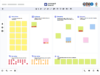
Capture learnings, improve the way you work, and reduce repeat issues.
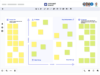
Assess changes in a structured way and document decisions clearly – so scope and priorities stay aligned.
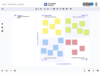
Discover ready-to-use templates for workshops, retrospectives, project planning, and more. So you don’t have to start from scratch but can jump right in.

Keep kickoffs, weekly check-ins, and reviews consistent and easy to run. In our trainings and events, you’ll learn the basic functions and features, practical ways to plan, align, and document work in Conceptboard, so teams can apply them immediately.
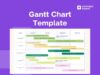
Use a visual Gantt view to spot dependencies sooner, coordinate milestones with less effort, and keep everyone working from the same plan. Day to day.
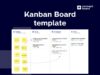
Learn how teams use Kanban in Conceptboard to reduce cycle time, keep work flowing, and share progress reliably – plus a starter template to set up your board fast.

Conceptboard helps you bring structure, clarity, and real teamwork into your project management no matter where your team is working.
No. Conceptboard runs entirely in the browser. There’s nothing to install, and your team can get started right away.
Yes. Conceptboard scales easily from small Scrum teams to company-wide rollouts. It includes features for team management, permission control, and enterprise use.
Conceptboard is designed specifically for visual collaboration in professional project environments. It offers structured feedback tools, GDPR-compliant EU hosting, and clear project organisation.
Both are possible. Whether you follow waterfall, hybrid, or agile methods, Conceptboard supports you with flexible templates, timelines, and process visualisation.
You can easily invite guests without requiring them to sign up. With comments, markers, and share links, you can collect and document feedback in a structured way.
Yes. Conceptboard is fully hosted in Germany, ISO 27001, ISO 27017, and ISO 27018 certified, and meets all GDPR requirements for data protection and security.
Yes. You’ll find ready-to-use templates for roadmaps, retrospectives, stakeholder reviews, story mapping, Kanban boards, and more, all customisable.
There are multiple plans available, including a free version to try. For teams and companies, we offer scalable licenses with extended features and support.
You are currently viewing a placeholder content from Hubspot Embedded Content. To access the actual content, click the button below. Please note that doing so will share data with third-party providers.
More InformationYou are currently viewing a placeholder content from HubSpot. To access the actual content, click the button below. Please note that doing so will share data with third-party providers.
More InformationYou are currently viewing a placeholder content from Hubspot Meetings. To access the actual content, click the button below. Please note that doing so will share data with third-party providers.
More InformationYou need to load content from hCaptcha to submit the form. Please note that doing so will share data with third-party providers.
More InformationYou need to load content from reCAPTCHA to submit the form. Please note that doing so will share data with third-party providers.
More InformationYou are currently viewing a placeholder content from Turnstile. To access the actual content, click the button below. Please note that doing so will share data with third-party providers.
More Information