Remote Collaboration
Work efficiently in remote and hybrid teams by keeping ideas, tasks, and decisions visible on a shared board and enabling them to be continued at any time.
Features, capabilities, and examples that help teams facilitate workshops, plan work, and move decision-making forward in everyday work.
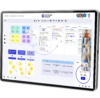
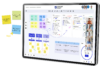
Making ideas, knowledge, and perspectives visible together
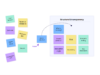
Modern teamwork often starts in distributed settings. In remote and hybrid setups, workshops, and meetings, ideas need to be captured, shared, and developed quickly. Conceptboard provides teams with a shared visual space where ideas, content, and knowledge come together and can grow in a structured way.
In this phase, teams use Conceptboard for remote collaboration, ideation, workshops, and facilitation. Content can be freely visualized, commented on, and edited together. Templates for workshops, meetings, and brainstorming sessions help teams get started quickly and facilitate discussions without losing context.
Typical use cases:
Organising thoughts and building shared understanding
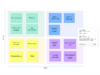
When many ideas come together, structure becomes essential. In this phase, Conceptboard helps teams organise content, make relationships visible, and build shared understanding. Input from workshops and meetings is consolidated, prioritised, and placed into a clear context.
Teams work with visual structures, clusters, comments, and feedback directly on the board. Alignment is documented transparently, decisions are prepared, and discussions are facilitated. This creates alignment within the team, regardless of whether everyone is working in the same location or in distributed settings.
Typical use cases:

Find out how Conceptboard can be used within your organisation, or review available pricing and licensing options.
Making work tangible and implementing it together
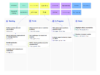
To ensure that clarity does not stop at understanding, it is translated directly into planning within Conceptboard. Tasks are created where ideas are discussed and remain connected to their context. This makes planning a natural part of everyday collaboration rather than a separate step.
In this phase, teams use Conceptboard for digital task management, agile collaboration, and visual planning. Kanban boards, backlog structures, and sprint planning can be set up directly on the board, enabling teams to prioritize work, clarify responsibilities, and make dependencies visible. For more complex projects, timelines and Gantt-style views support planning, while integrations such as Jira allow existing workflows to continue seamlessly within the board.
Typical use cases:
Keeping progress visible and making decisions in context
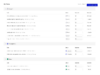
Work does not end with planning. In this phase, Conceptboard ensures that progress, decisions, and changes remain transparent. Teams keep an overview of the current status, adapt plans, and make decisions based on shared information.
By connecting tasks, content, and integrations, decisions remain anchored in the work context. Jira functionality, status information, and documentation can be reflected directly on the board, allowing teams to maintain their flow without interruption. This makes Conceptboard a central companion in day-to-day work.
Typical use cases:
Across all phases, Conceptboard brings collaboration, planning, and decision-making together in a shared workspace. Teams don’t switch between tools; they continue their work where it begins. This is what makes Conceptboard a daily-use tool that supports teams throughout their everyday work and not just in isolated moments.
New features and improvements that help teams facilitate workshops, plan work, and keep progress visible.
New ways to create and track tasks directly where collaboration happens.
As of December 2025
Phase: Planning & Moving forward

Visualises workflows, prioritises work, and brings structure to sprint planning and day-to-day team work.
As of February 2026
Phase: Planning & Moving forward
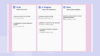
Plan projects visually, make dependencies visible, and keep timelines in view.
As of December 2025
Phase: Planning & Moving forward
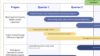
Integrate Jira features and tickets directly into Conceptboard to connect planning and execution within the team context.
As of December 2025
Phase: Tracking & Deciding
Supporting remote collaboration, workshops, meetings, project work, and digital task management
Work efficiently in remote and hybrid teams by keeping ideas, tasks, and decisions visible on a shared board and enabling them to be continued at any time.
Plan, facilitate, and document workshops and meetings in a way that turns discussions into clear outcomes. Templates and visual structure help you move forward together more efficiently.
Manage tasks directly on the board and connect planning with execution. With Kanban workflows, progress overviews, and integrations such as Jira, team work stays in flow.
Use Conceptboard to structure projects, develop strategies, and align decisions within your team. This creates clarity around goals, priorities, and next steps.
Support your product team from the first idea through to the roadmap. Structure requirements, plan backlogs, and make agile collaboration transparent within the team.
Run design thinking processes digitally and develop ideas collaboratively. With templates and visual collaboration, teams can work efficiently on insights, concepts, and solutions.

Experience how to structure and move workshops, meetings, tasks, and projects forward in a shared workspace. Try Conceptboard for free and bring clarity to your daily collaboration.
You need to load content from hCaptcha to submit the form. Please note that doing so will share data with third-party providers.
More InformationYou need to load content from reCAPTCHA to submit the form. Please note that doing so will share data with third-party providers.
More InformationYou are currently viewing a placeholder content from Turnstile. To access the actual content, click the button below. Please note that doing so will share data with third-party providers.
More Information