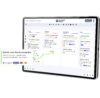
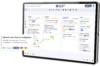
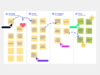
Plan and manage tasks where collaboration happens. Conceptboard brings visual task management into a shared workspace helping teams organise tasks, assign responsibilities, track progress, and stay aligned from idea to delivery.
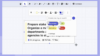
The “Tasks” feature can be integrated into any workspace via the main navigation menu. It allows you to turn any board content into concrete to‑dos. Assignees can be added, deadlines set, tags applied, and content can then be searched based on these tags.
Brainstorm today. Deliver tomorrow.
Are you spending too much time organising sticky notes, searching through emails, or maintaining scattered to-do lists? When tasks live outside the collaborative context, information gets lost and progress becomes hard to track.
With Conceptboard, tasks are created and managed directly on the online whiteboard where ideas, content, and decisions already come together. This turns visual thinking into clear, actionable next steps and keeps everyone aligned.
You can:
assign owners and set deadlines
organise and prioritise tasks
identify bottlenecks early
track progress transparently
This way, you stay in control. Even in complex projects.
Board-based task management
Tasks
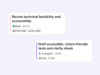
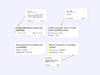
Tasks, subtasks, responsibilities, and deadlines remain visible in context – from the first step through to project completion.
Kanban Templates and Widget
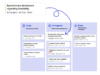
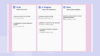
Create and manage Kanban boards as a flexible widget or based on ready-made templates. Visualise tasks and progress and track how work moves forward step by step until tasks are completed.
Project Timelines
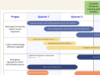
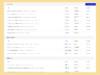
With Gantt charts, you can structure tasks along a timeline and keep progress, dependencies, and deadlines visible in a shared workspace.
From thinking to doing – in one flow
Manage your tasks visually, step by step
Use Conceptboard as your shared workspace. Ideas, sketches, notes, and discussions take shape during meetings, workshops, or projects. Everything relevant to your work is captured and made visible on the board. This creates shared understanding – the foundation for all next steps.
Together, identify which next steps are relevant for your goal, project, or assignment. Visual structures such as clusters, sections, or process steps help you recognise and prioritise tasks.
Conceptboard offers different templates and building blocks depending on how you work and what your project requires: Kanban boards for ongoing tasks, Gantt charts for timeline planning, process blocks for structured workflows, lists for simple overviews. This helps organise tasks in a way that is easy for everyone to understand and work with.
Complete all your tasks: Assign owners, add due dates and deadlines, and highlight priorities – if needed, using colours.
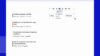
All tasks relevant to you – or assigned by you – are visible on the “Home” view. You can quickly see how far work has progressed, where tasks are blocked, and where bottlenecks are forming. If needed, you can react immediately and adjust directly on the board and in context.
Webinar: Collaborative Task Management
Collaboration is already how modern teams work. The challenge today is turning shared understanding into shared action. In this live event, you’ll see how Conceptboard supports collaborative organisations by enabling teams to turn ideas from workshops, meetings, and brainstorming sessions into clear, actionable tasks – without losing context or creating additional coordination work.
Discover how visual collaboration helps teams align early, clarify ownership, and move forward together.
14M+ users around the world successfully work with Conceptboard
Test the benefits of visual collaboration for yourself
Bring your team together, share ideas and make real progress without a long training period. Start directly or talk to us about your individual requirements.
You are currently viewing a placeholder content from Turnstile. To access the actual content, click the button below. Please note that doing so will share data with third-party providers.